Plurk 的佈景主題只能用在河道上,如果是單一噗的連結,是不會更動到的。像我就很常將一噗另外開一頁來看,沒辦法切換 Dark Mode 很困擾。今天跟 Claude 一起 debug,終於將 Plurk Dark Mode 弄出來了。第一段 CSS 可以直接貼上,單一噗的頁面則需要靠 Tampermonkey 來達到修改 theme 的目的。結論:CSS 真不是人可以輕易改動的東西。
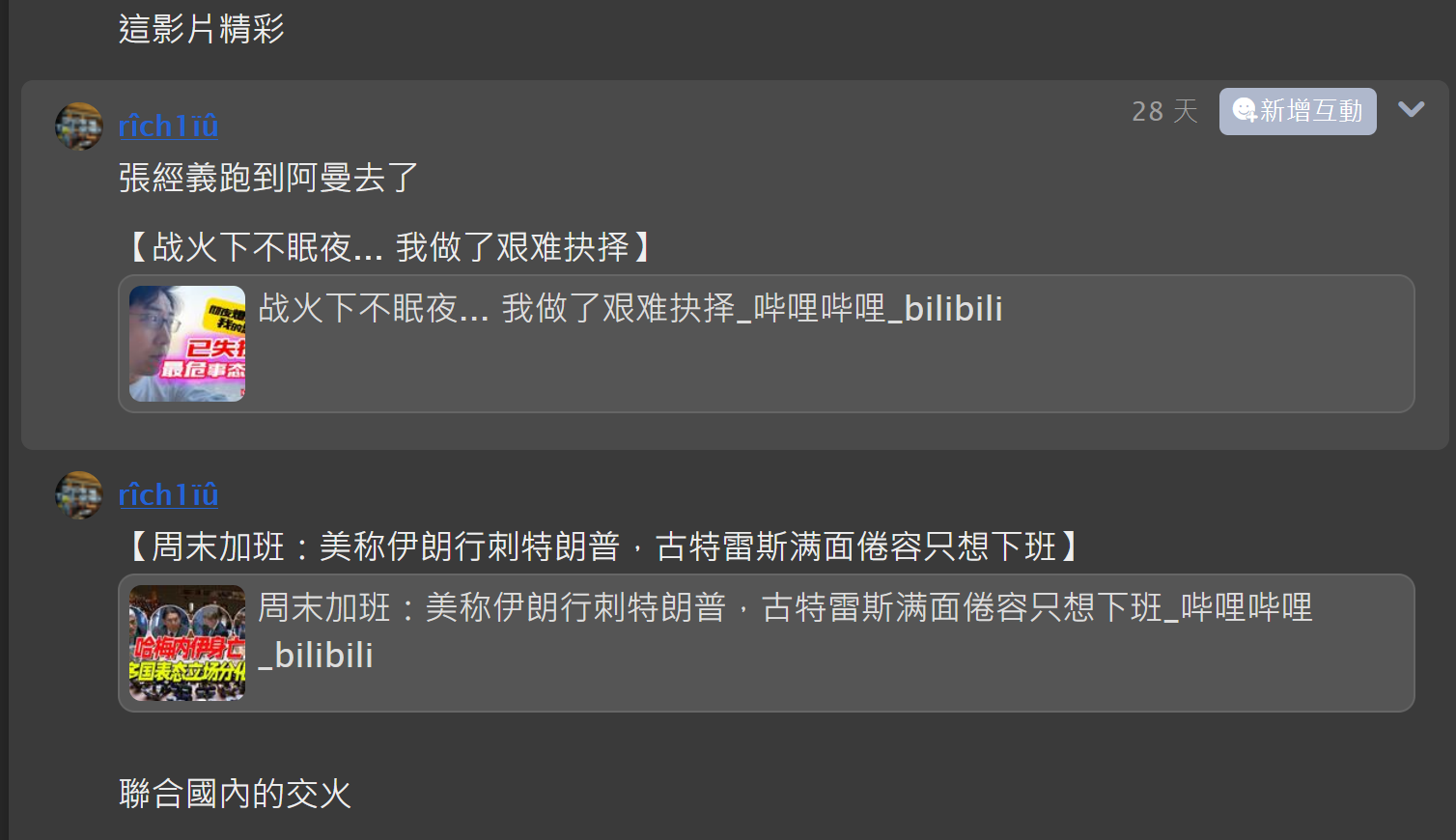
河道的不太方便,不過色系是一樣的。
Plurk CSS,貼到自訂佈景主題就可以了
body {
    background: none;
    color: black;
}
#top_bar a, #top_login a, #dashboard_holder a, #footer a {
    color: black !important;
}

/* 噗的內容區塊 - 用較亮的暗灰,跟黑色背景區分 */
.plurk_cnt {
    background-color: #484848 !important;
    color: #eee !important;
}

.plurk_cnt .text_holder {
    background-color: #484848 !important;
    color: #eee !important;
}

/* 連結改成淡藍 */
.plurk_cnt a {
    color: #7ab8ff !important;
}

/* 回應區 */
.list .plurk_cnt {
    background-color: #505050 !important;
    color: #eee !important;
}

/* 回應區 hover */
.list .plurk_cnt :hover {
    background-color: #666 !important;
    color: #fff !important;
}

/* 修掉殘留的白底區塊 */
.plurk_box, .plurk_cnt_holder, .response_box, .plurk_body {
    background-color: #484848 !important;
    color: #eee !important;
}

/* 回應輸入框 */
.response_input, .plurk_form textarea {
    background-color: #3a3a3a !important;
    color: #eee !important;
    border-color: #666 !important;
}

/* 時間、小字等 */
.plurk_cnt .info, .plurk_cnt .qualifier, .plurk_cnt .td_cnt {
    color: #bbb !important;
}

/* 河道回覆輸入框 */
#reply_box_holder, #reply, .reply_box {
    background-color: #3a3a3a !important;
    color: #eee !important;
}

#reply textarea, #reply input, #reply_box_holder textarea {
    background-color: #444 !important;
    color: #eee !important;
    border-color: #666 !important;
}
Tampermonkey Script
// ==UserScript==
// @name         Plurk Dark Theme
// @namespace    http://tampermonkey.net/
// @version      1.7
// @description  Plurk 全站暗色主題
// @match        https://www.plurk.com/*
// @run-at       document-idle
// ==/UserScript==

(function() {
    'use strict';
    var css = '';
    css += 'html body .plurk_cnt, html body .plurk_cnt .text_holder { background-color: #484848 !important; color: #eee !important; }';
    css += 'html body .plurk_cnt a { color: #7ab8ff !important; }';
    css += 'html body a.ex_link, html body a.ex_link.meta { background: #555 !important; color: #ddd !important; border-color: #666 !important; }';
    css += 'html body a.ex_link *, html body a.ex_link.meta * { color: #ddd !important; }';
    css += 'html body .plurk_box, html body .plurk.bigplurk, html body .plurk.divplurk { background-color: #484848 !important; color: #eee !important; }';
    css += 'html body .display .plurk_cnt { background-color: #484848 !important; color: #eee !important; }';
    css += 'html body .response_box { background-color: #3a3a3a !important; color: #eee !important; }';
    css += 'html body .response_box .list-container { color: #eee !important; }';
    css += 'html body .plurk.response { color: #eee !important; }';
    css += 'html body .mini_form, html body .input_holder { background-color: #444 !important; color: #eee !important; border-color: #666 !important; }';
    css += 'html body textarea, html body textarea.content { background: #3a3a3a !important; color: #eee !important; border-color: #666 !important; }';
    css += 'html body .drop_indicator { background-color: #444 !important; color: #ccc !important; }';
    css += 'html body .pif-option.scroll-to-bottom { background-color: #444 !important; color: #ccc !important; }';
    css += 'html body .pop-view, html body .pop-window-view { background-color: #444 !important; color: #eee !important; }';
    css += 'html body .list .plurk_cnt { background-color: #505050 !important; color: #eee !important; }';
    css += 'html body .plurk_cnt .info, html body .plurk_cnt .qualifier { color: #bbb !important; }';
    css += 'html body #static-ads, html body .plurk-gpt-ad { background-color: transparent !important; }';

    // hover - 只針對回應區,首噗不動
    css += 'html body .response_box .plurk.response:hover { background-color: #4a4a4a !important; color: #eee !important; }';
    css += 'html body .response_box .plurk.response:hover .plurk_cnt { background-color: #4a4a4a !important; color: #eee !important; }';

    // 首噗 hover 鎖死不變
    css += 'html body .plurk.bigplurk:hover, html body .plurk.bigplurk:hover .plurk_cnt, html body .plurk.bigplurk:hover .text_holder { background-color: #484848 !important; color: #eee !important; }';

    var style = document.createElement('style');
    style.textContent = css;
    document.head.appendChild(style);
})();
dasd



發佈留言